Connekt App & Software
Full Control, Exactly Where You Expect It
The Connekt Smart Modular System app is the control center for your smart installation. It brings together physical devices, virtual controls, automation, and analytics into a single, intuitive interface that mirrors your real-world setup.
The app is available on iOS (App Store) and Android (Google Play), and as a web application accessible from any modern browser at app.connektworld.com.
Your Installation, Digitally Recreated
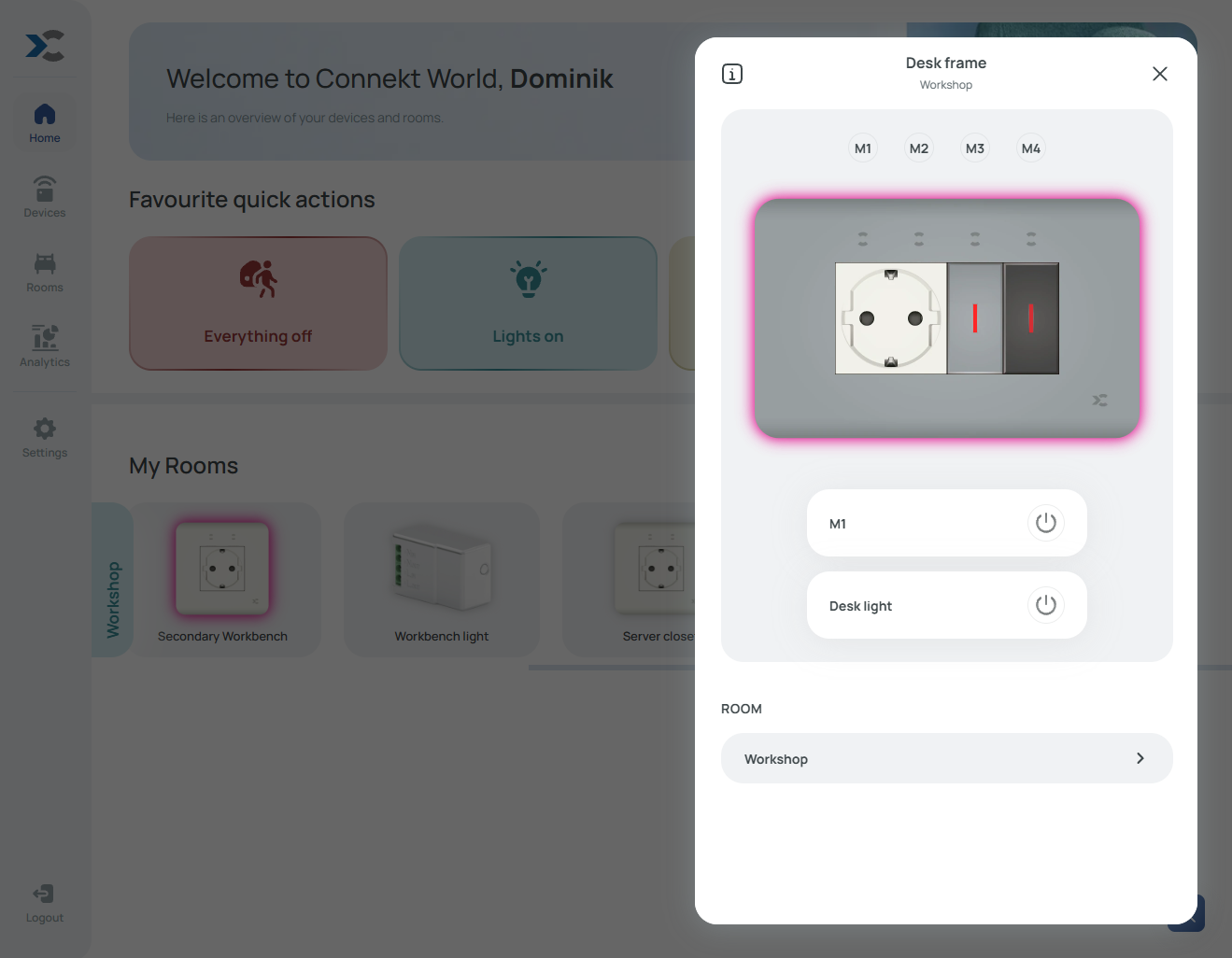
Every Connekt smart frame appears in the app exactly as it exists on the wall. Module layout, sizes, and types are visually represented so that what you see on your phone or computer matches the physical installation.
Tapping a frame opens detailed options for the frame itself, its diffuser, and the installed cover. Selecting individual modules opens their specific controls, settings, and status information.
Rooms, Names, and Organization
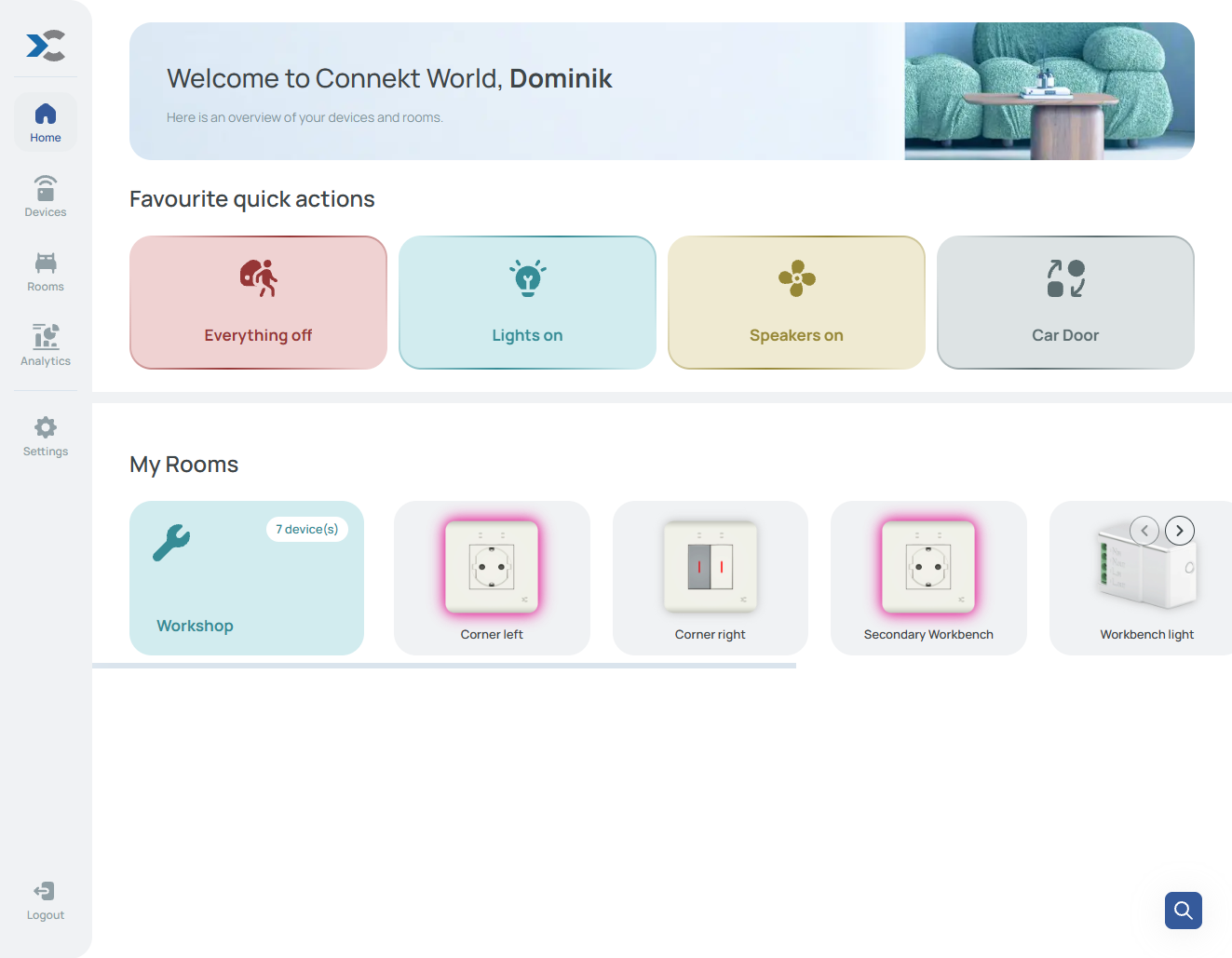
Devices can be named and grouped into rooms, making larger installations easy to navigate. All rooms are displayed on the home screen, and frequently used devices or actions can be pinned for instant access.
Even regular (non-smart) modules can be added manually, allowing the app to reflect the real physical layout — while clearly indicating which elements are controllable.
Dynamical Device Control
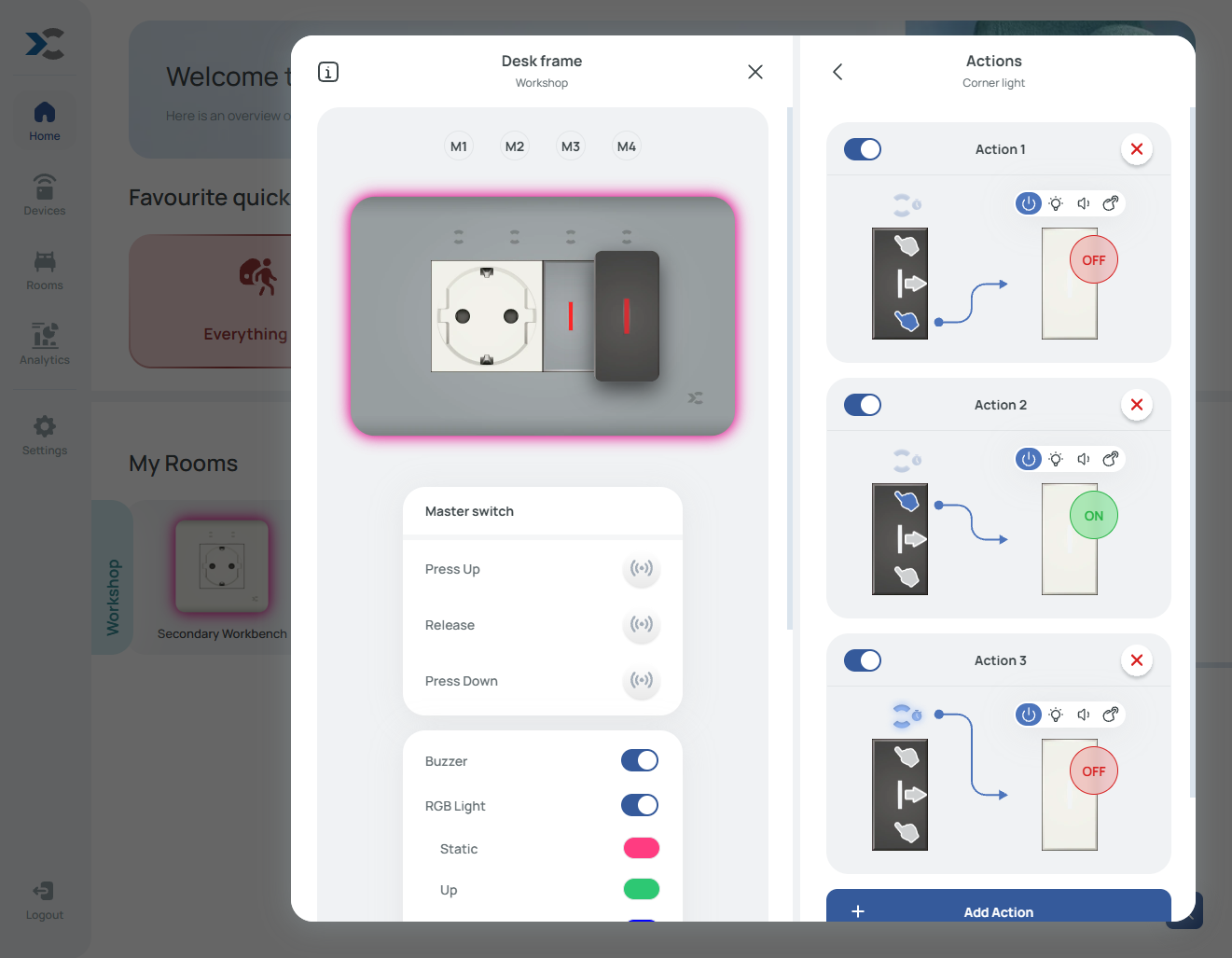
Connekt introduces Dynamical Device Control — a system that allows physical and virtual inputs to control any compatible device in the ecosystem.
Virtual switches, physical switches, sensors, and app-based triggers can all be linked to one or multiple targets. Links are defined by pairing a trigger action with a target action, such as:
- Turning a socket on or off
- Changing RGB indicator colors
- Activating timers or schedules
- Locking or unlocking inputs
Linking Pairing Mode
For fast configuration, Connekt supports Linking Pairing Mode. When enabled account-wide, all smart frames enter pairing mode simultaneously.
Pressing the touch button above a virtual switch highlights all currently linked devices using green RGB indicators on diffusers. Additional devices can be linked or unlinked directly from the wall — no app navigation required.
Schedules & Automation
Most smart devices support schedulers, allowing actions to run:
- Daily
- Weekdays or weekends
- Specific days of the week
- One-time events
Time is defined with hour and minute precision. Schedules continue to work automatically once configured.
Quick Actions
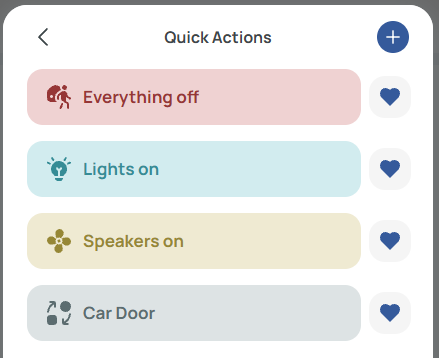
Quick Actions are app-based triggers that behave like virtual switches. A single tap can activate multiple actions across different devices and rooms.
Favourite Quick Actions can be pinned to the home screen for immediate access.
Sharing & Multi-User Access
Connekt supports flexible access sharing:
- Room Sharing: grant limited control of selected rooms (state changes, colors, basic controls)
- Full Account Sharing: multiple users access the same installation with full permissions
Access can be revoked at any time, making it suitable for families, guests, or temporary support access.
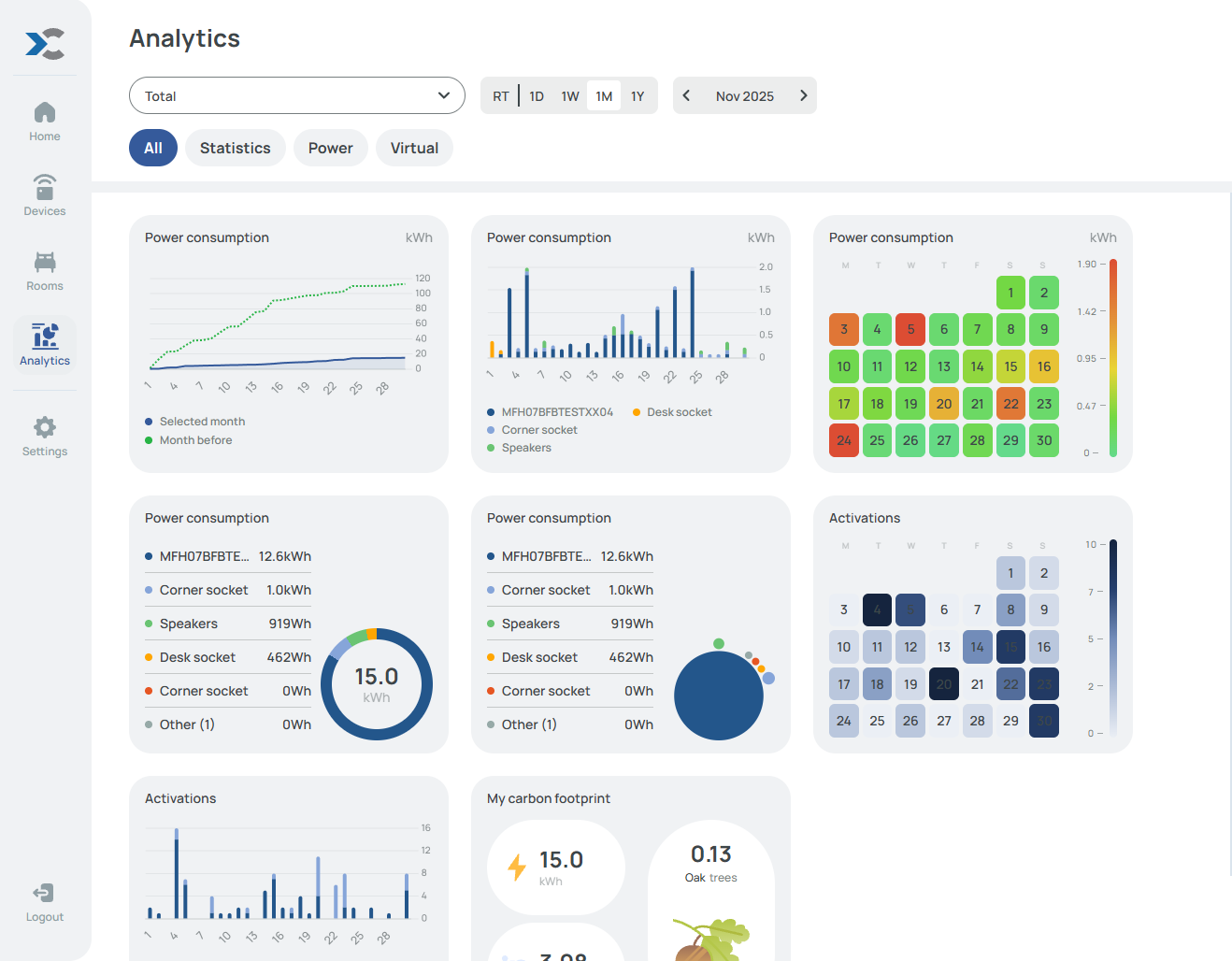
Analytics & Insights
Connekt provides advanced analytics for supported devices and sensors, allowing you to track:
- Power consumption
- On/off activity
- Virtual activations
- Schedule executions
- Environmental data (temperature, humidity, motion, light)
- Carbon footprint and energy cost estimates
Data can be viewed per device, per room, or across the entire installation.
Local & Cloud Operation
Connekt operates primarily through secure cloud services, but modern smart frames also support local dynamical device control.
Once configured, links between devices can continue functioning locally over the LAN, even if internet access is temporarily unavailable.
Security by Design
Security is built into every layer of the Connekt system:
- Encrypted HTTPS communication
- OAuth 2.0–based device authorization
- Secure boot and flash encryption on embedded devices
- Account-based access control
You always remain in control of who can access your system and how.